Hostbill Module
with HostBill.
Free HostBill module, set up in 10 minutes. Manage domains, billing and customers from a single panel.
Manage domain registration, renewal, transfer and billing from a single panel with the Domain Name API HostBill module. Less manual work, faster operations.
- Free Module
- 800+ TLDs
- Automatic Billing
- Automatic Renewal
- DNS Management
- WHOIS Privacy
Free module • Live in 10 minutes • Start selling today
What is HostBill?
HostBill is a billing and customer support platform that automates hosting and domain management. It is designed for web hosting providers, data centers, and companies offering cloud services. It includes features like automatic billing, payment integrations, customer panel, API support, and domain management. Preferred as an alternative to WHMCS, this system also includes integrations for VPS management, SSL certificate sales, and reseller accounts. With its user-friendly and simple interface, it is frequently chosen by domain and hosting companies.
Hostbill Module
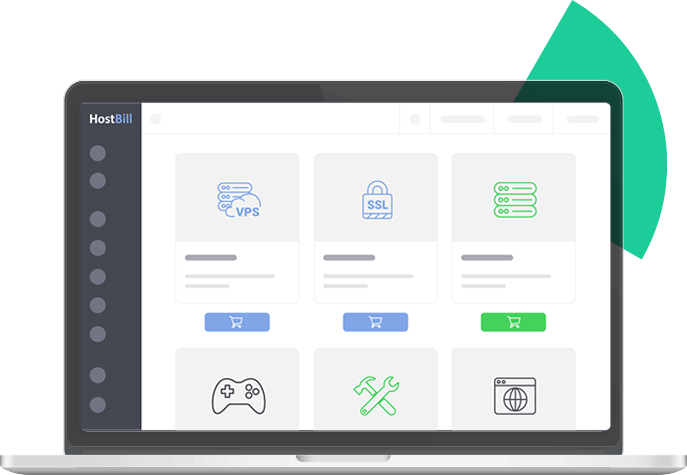
Domain Name API Hostbill Module

Registrar

Extension Support

Inquiry

Hosting Activation

Management

Package

Integration

HostBill Modules
Easily Manage Your Business with Hostbill!

Management

Payment Processing

Ticket System

Hostbill Themes
HostBill offers many professional themes catering to different needs. These themes are designed to be modern and user-friendly. Thanks to their customizable structures, they allow companies to create a look that fits their brand identity.
Especially for those planning to start a domain and hosting business, HostBill themes provide a great advantage by saving time with ready-made integrations and themes.
Advanced Automation Features
WHostBill offers many professional themes with different appearances. These themes stand out with their modern and user-friendly designs. Thanks to their customizable structures, they allow companies to create a look that fits their brand identity.
Especially for those planning to start a domain and hosting company, HostBill themes provide a great advantage by saving time through ready-made integrations. They make it easier to create a professional website without requiring technical knowledge. With stylish and functional designs, they offer a secure and reliable experience for customers.

Hostbill Hosting Management Panel Features


Hostbill FAQ
HostBill is an enterprise-grade billing, customer management, and automation platform built for web hosting providers, data centers, domain resellers, and companies offering cloud and VPS services. It automates the full service lifecycle — from order placement and provisioning through billing, payment collection, support ticketing, and service termination.
The Domain Name API HostBill module extends this automation to domain registration, renewal, transfer, DNS management, WHOIS updates, and WHOIS privacy protection. With 800+ supported domain extensions and ICANN-accredited registrar infrastructure behind it, HostBill combined with Domain Name API gives resellers a complete, end-to-end domain sales platform.
HostBill is commonly positioned as an enterprise-level alternative to WHMCS, offering 150+ ready-made integrations, VPS management, SSL certificate sales, and reseller account features in a single panel.
💡 HostBill's key differentiator over WHMCS is its depth of integrations — 150+ modules versus WHMCS's more curated ecosystem. For resellers who need to run domain sales, VPS provisioning, SSL, and reseller accounts from a single panel without custom development, HostBill is worth evaluating. Domain Name API's module ships ready to use from github.com/domainreseller.
The Domain Name API HostBill module is available on GitHub at github.com/domainreseller. Installation follows the standard HostBill module process:
1. Download the latest module package from github.com/domainreseller.
2. Upload the module files to your HostBill installation directory according to HostBill's module placement guidelines.
3. In the HostBill admin panel, navigate to the domain registrar configuration section.
4. Locate the Domain Name API module and enter your reseller username and password.
5. Save and test the connection to confirm your credentials and balance display correctly.
6. Configure domain pricing for the TLD extensions you want to offer, or use the bulk import tool to pull live pricing from Domain Name API.
After configuration, domain registrations, renewals, and transfers placed through your HostBill storefront will be processed automatically via Domain Name API.
Note: Always back up existing module files before upgrading.
💡 Before going live, always run a test registration on a low-cost TLD to confirm the full order flow works end-to-end — from customer checkout through Domain Name API fulfillment. HostBill's module log is the first place to check if a domain order fails; it records the exact API request and response, making diagnosis fast.
The Domain Name API HostBill module supports the following operations automatically via API: domain registration and instant activation, domain renewal and automatic billing, domain transfer with EPP code support, DNS management (A records, MX records, nameserver updates), WHOIS contact information updates, WHOIS privacy protection, transfer lock management, premium domain name control, domain synchronization (live expiry date and status updates), and WHOIS lookup.
Customers can manage DNS records, WHOIS data, and transfer locks directly from the HostBill client portal without contacting support — reducing operational overhead for resellers.
💡 Domain synchronization is one of the most important features to enable after installation. It keeps expiry dates and domain statuses in HostBill aligned with Domain Name API's registry data. Without it, billing can trigger on incorrect dates and domain drops can occur without warning. Enable it during initial setup, not as an afterthought.
HostBill requires a dedicated or virtual server with a supported Linux distribution (CentOS, Debian, or Ubuntu recommended), PHP 7.4 or higher, MySQL 5.6 or higher, and a web server such as Apache or Nginx. An SSL certificate is required for the admin panel and client portal.
For the Domain Name API module specifically, the PHP SOAPClient extension must be enabled on the server. If you are selling .tr domains for the Turkish market, custom client fields for TR ID Number, Tax Number, and Tax Office must also be configured.
💡 Run HostBill on a VPS with at least 2 GB RAM if you expect more than a few hundred active customers. Shared hosting is technically possible but creates performance and stability issues under load. For production deployments, a dedicated server or cloud instance with daily automated backups is strongly recommended.
Yes. HostBill offers full multi-language support — both the admin panel and the customer-facing portal can be configured in different languages. This makes HostBill suitable for resellers serving diverse geographic markets from a single installation.
HostBill also supports multiple currencies. You can display pricing in local currencies for your customers while Domain Name API provides cost data in USD, with the platform handling conversion and margin calculations automatically.
💡 For resellers targeting Turkey, the MENA region, or Central Asia alongside global markets, multi-currency and multi-language support is operationally critical — not just a nice-to-have. Customers who see pricing in their local currency convert at significantly higher rates than those who see USD pricing. Configure local currency display early; retrofitting it after you have live customers creates invoicing complications.
To add domain products in HostBill, navigate to Products/Services in the admin panel, create a new product, and select the Domain Name API module as the registration provider. Set the TLD (e.g. .com, .com.tr), configure pricing for registration, renewal, and transfer, and publish the product to your storefront.
For hosting, VPS, and SSL products, the same Products/Services section is used with the relevant hosting control panel or SSL provider module selected. HostBill supports cPanel, Plesk, DirectAdmin, SolusVM, and other major control panels.
Bulk domain pricing can be imported directly from Domain Name API using the registrar's TLD sync or import tool, which pulls live cost data and lets you apply a profit margin in a single step.
💡 When setting up domain products, configure registration, renewal, and transfer pricing as separate line items — not as a single price. HostBill handles multi-year pricing automatically if you set up the pricing table correctly. Many resellers miss this and end up with incorrect renewal billing for multi-year registrations.
HostBill has a built-in coupon system accessible from the admin panel under the Billing or Promotions section. To create a coupon, define the coupon code, discount type (fixed amount or percentage), applicable products or services, validity period, and usage limits (single-use, multi-use, or per-customer caps).
Coupons can be restricted to specific product categories — for example, offering a discount only on first-year domain registrations while excluding renewals — which is a common tactic for domain reseller customer acquisition campaigns.
💡 First-year domain registration discounts are one of the highest-converting acquisition tactics for domain resellers. A coupon that offers .com at near-cost for the first year, combined with standard renewal pricing, builds a customer base efficiently. HostBill's coupon system supports this model natively — configure a product-specific, single-use coupon with an expiry date for best results.
HostBill generates invoices and sends payment reminders automatically based on the billing cycle configured for each product. Reminder email sequences can be customized — you can define how many days before a due date each reminder is sent and customize the email template for each reminder in the sequence.
For domain renewals specifically, HostBill checks domain expiry dates against the billing schedule and generates renewal invoices ahead of the expiry date. If auto-renewal is enabled and the customer has a valid payment method on file, the renewal is processed automatically without manual intervention.
Payment integrations supported by HostBill include major credit card processors, PayPal, Stripe, and regional payment gateways.
💡 Configure at least a 3-step reminder sequence for domain renewals: 30 days, 14 days, and 3 days before expiry. A single reminder is easy to miss; three reminders across different timeframes significantly reduce domain drop rates. Also enable domain synchronization with Domain Name API so HostBill always has accurate expiry dates — billing against a stale date is one of the most common causes of unexpected domain drops.
Yes. HostBill includes a comprehensive reporting and analytics module. You can generate reports on revenue by product, customer acquisition and churn, payment history, outstanding invoices, domain portfolio status, and support ticket volume and resolution times.
Reports can be filtered by date range, product type, customer segment, or currency. Financial reports can be exported for accounting purposes.
💡 The domain portfolio report is particularly valuable for resellers with large customer bases — it shows all domains approaching expiry across all customers in a single view, allowing proactive outreach before domains lapse. Cross-reference this report with your renewal invoice status weekly to catch any customers who have not paid but whose domains are approaching expiry.
No. HostBill is an independent billing and automation platform developed by a separate company. Like WHMCS and WiseCP, it is a standalone product that Domain Name API integrates with via a dedicated module.
Domain Name API is an integration partner of HostBill, not its owner or developer. For HostBill licensing, software support, and feature questions, contact HostBill directly. Domain Name API handles domain registrar module support and all domain-related operations.
💡 Keep both relationships active: HostBill support for panel and billing issues, Domain Name API support for registrar and domain issues. When a domain order fails, the first step is always to check HostBill's module log for the API response from Domain Name API — this tells you immediately whether the issue is on the panel side or the registrar side, and routes the support ticket to the right team.